
- HOME
- iPhone Generations
- iOS
- iOS 8 Best Features
- Siri
- iOS Music
- iPhone News
- iPhone Specs
- iPhone SMS
- iPhone Applications
- iPhone Video
- AirPlay
- iPhone TV
- iPhone Network
- iPhone GPS
- iPhone Ringtones
- iPhone Tips
- iPhone Sys Tricks
- iPhone Emulators
- iPhone Hacks
- iPhone Customization
- iPhone Accessories
- Cheap Calls
- Buy iPhone
- Arabic iPhone
- Hot Topics
- Privacy Policy
- Site Search

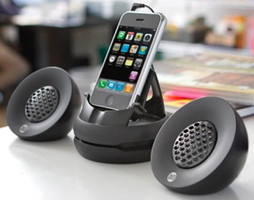
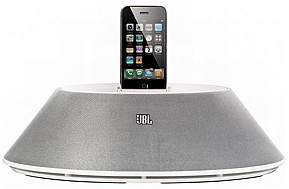
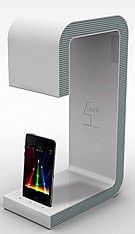
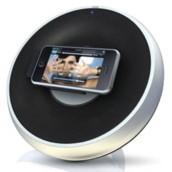
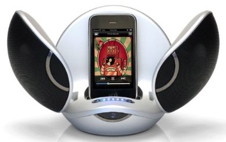
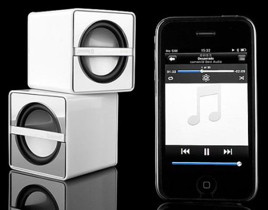
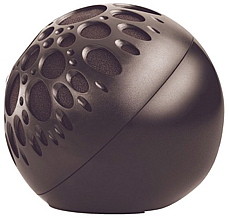
iPhone SpeakersSince the iPhone is an iPod, iPhone speakers are one of the most popular accessory for iPhone owners. Moreover, external speakers can solve the loudness issue of the iPhone internal speaker.
There are two types of audio sources that the iPhone and iPhone 4 have. The iPhone music audio which is the sound that you hear when you play the iPod or any other iPhone video or audio application. The other audio source is the cell phone audio which is the sound you hear when making a phone call. This is also known as speakerphone audio. Those two types of audio are different and when shopping for a speaker for the iPhone, it could become frustrating.
For example, you can hear the iPod music with one iPhone accessory, but when your phone rings, you may not be able to answer the phone. If you answer the phone you may not be able to make a voice conversation because the because that particular iPhone speaker doesn't support speakerphone audio. Therefore, it is important to know if the iPhone speaker you want to buy does actually provide you with exactly what you want. Are you looking for the phone audio as a speaker phone, iPhone music audio or both? There are several types of speakers available in the iPhone accessory category. They can be divided into wired speakers and wireless speakers.
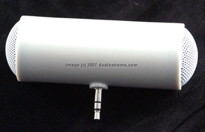
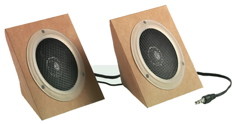
Speakers Through iPhone Audio Port:
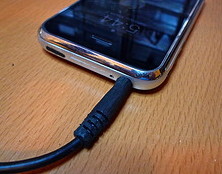
Note that older iPhone 2G have recessed audio jack which require an iPhone headphone adapter in order to work with most standard speakers. When you connect a speaker through the line out port of an iPhone you are guaranteed to hear the audio from both audio sources of the iPhone, the music and the phone source, so you can use the iPhone as a speaker phone to hear your phone call loud.
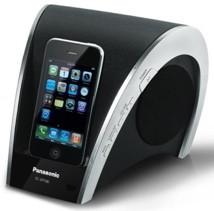
Speakers through the dock port:
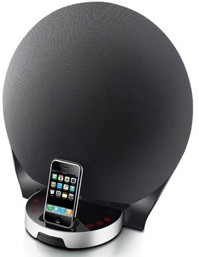
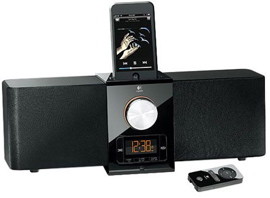
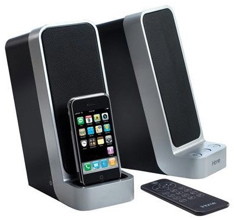
Once you plug the iPhone to those iPhone speakers, you will immediately start charging your iPhone. The music audio will automatically start coming from the connected speaker. However, speakerphone calls may or may not be transmitted through the iPhone dock port depending on the speaker. One thing you will notice when an iPhone speaker is connected through iPhone dock port or though bluetooth is that you can only control the volume from the speaker itself and not from the iPhone. There won't be a volume control on the iPhone anymore. It will change depending on the type of connection.
For example, you can have full control of your iPod music. You can skip, rewind or fast forward a song. Some iPhone speakers come with a remote control. Therefore, you can control the volume and the audio playback from a distance.
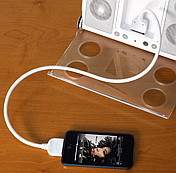
To make them more universal, some of them have an iPhone dock extension that connect to the dock allowing the iPhone to move freely or set on a desk and also allow the dock station to work with different iPods. This iPhone dock extension is specially useful if your iPhone case interferes with the iPhone docking station . So instead of removing the iPhone case, you can simply connect the iPhone to this iPhone dock extension cable. Wireless Bluetooth Speakers:
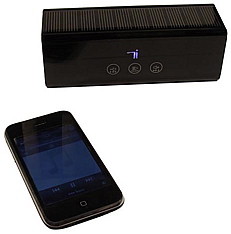
It eliminates wires completely, and gives very clear sound. Not all bluetooth devices support both hands free iPhone speakerphone and stereo sound or A2DP though. You have to be very careful when shopping for an iPhone bluetooth speaker. Most iPhone bluetooth speakers support only phone calls while others with A2DP profile support both speaker phone and stereo sound.
Stereo bluetooth accessories give full control over your audio from the iPhone without using any wires. This means that you can control your iPhone music from a distance while your iPhone is setting on a desk or being charged, or even while it is in your person. All iPhone music controls of the iPod application such as volume, music skip, fast forward, and rewind are accessed from the speaker itself or by using a remote control that might come with the bluetooth speaker. With this addition of stereo bluetooth to the iPhone bluetooth capability, a big existing collection bluetooth iPhone accessories became immediately available. AirPlay Speakers:
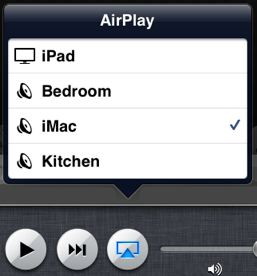
If you have an Apple TV in your wifi network, you can send your audio and video to that Apple TV. This same idea is applicable to some speakers that support AirPlay, and they are usually called AirPlay speakers. Those speakers connect to your local wifi network, and will show up in your list as available to stream audio. You can add AirPlay speakers to different areas of your house, for example, you can add an AirPlay speaker to the living room, and another AirPlay speaker to the kitchen, and another air Play speaker to the bedroom. Now when you tap the AirPlay icon on your iPhone, all those available AirPlay speakers will be in your list, and you can simply stream music from your iPhone to any of those speakers wirelessly.
blog comments powered by Disqus
|
 This is the normal volume control when an iPhone speaker is connected through the
  The volume control disappears when audio is transmitted through the iPhone dock, or an
 Here also, the volume control disappears when connecting audio through an
 One of the coolest features that was introduced in iOS 4, and then improved in